Edit the Cascade settings (legal identity, IBAN, VAT, address, logo, prefix)
Update your Cascade's name and prefix, as well as the legal identity of its organization: company name, VAT, logo, billing address, SIRET (or N°BCE) and IBAN. The identity applies to all the organization's Cascades.
Before you start
- You need a Cascade that has already been created: see Create a Cascade. Any manager linked to the Cascade's organization can edit these settings.
- The settings open on the selected Cascade. To edit another Cascade's settings, select it first: see Change the current Cascade.
- If you are a platform administrator and you are correcting a manager's organization on their behalf, use Edit an organization instead.
Steps
1. Open your Cascade's settings
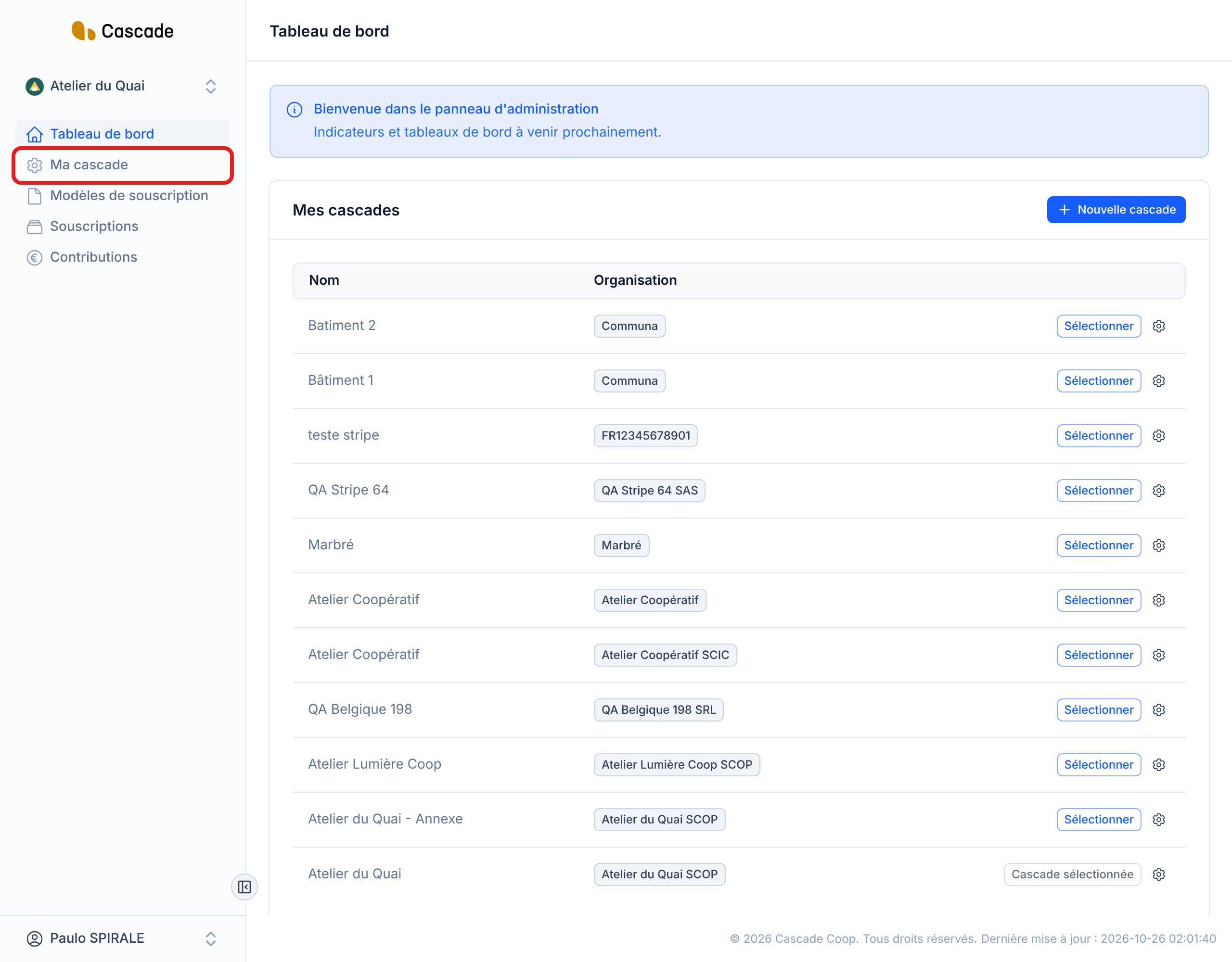
In the left menu, click Ma cascade (My Cascade). The screen opens with the current values.
On the Tableau de bord (Dashboard), you can also click the cog at the end of a Cascade's row in the Mes cascades (My Cascades) block.
2. Edit the name and the prefix
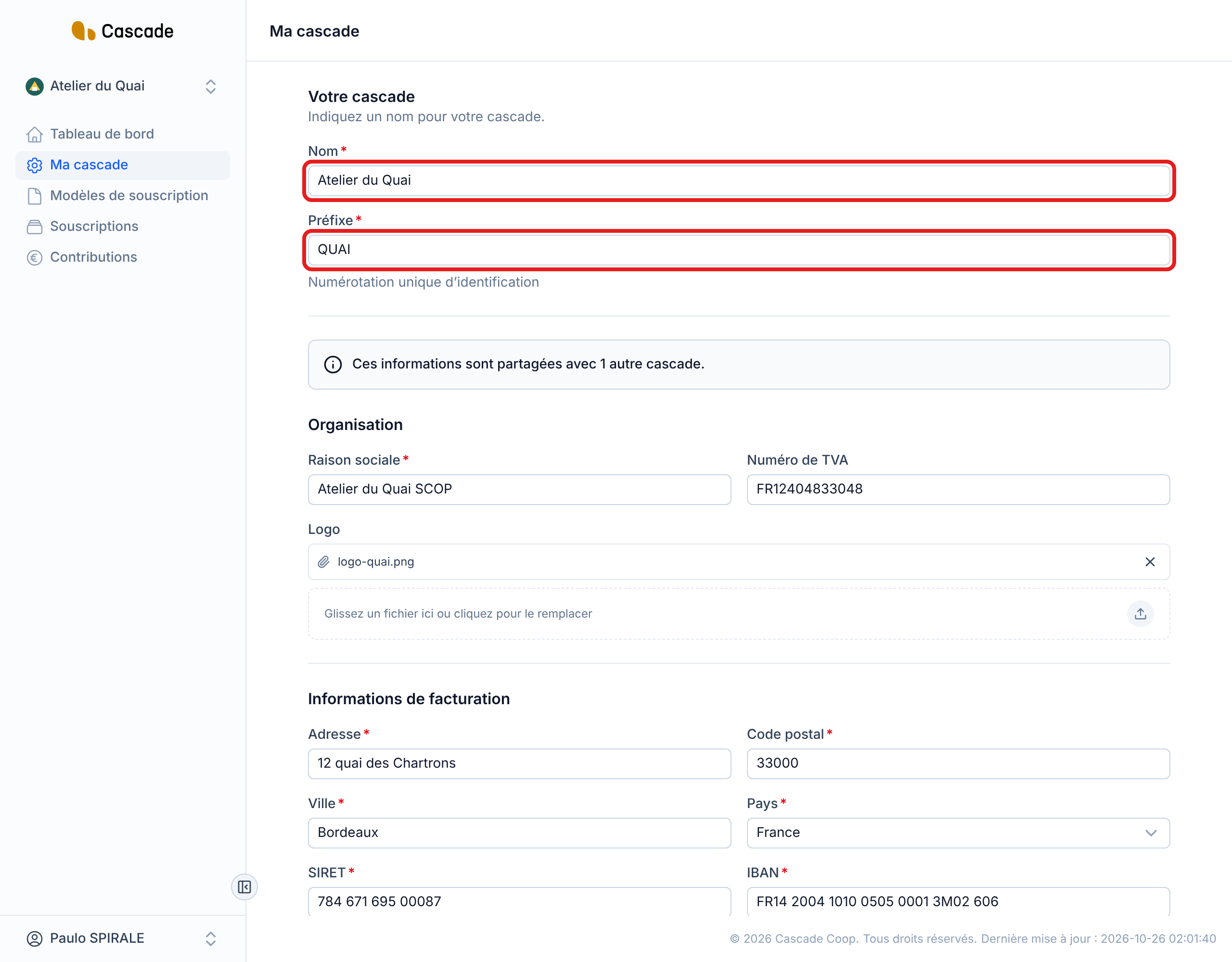
In the Votre cascade (Your Cascade) section, change the Nom (Name) and the Préfixe (Prefix). The prefix is always put in capitals and is at most 5 characters long: it is used to number the Cascade's contracts and invoices. Unlike at creation, it does not follow the name: changing the name does not change the prefix.
These two fields are specific to your Cascade: they do not affect the organization's other Cascades.
3. Update the organization
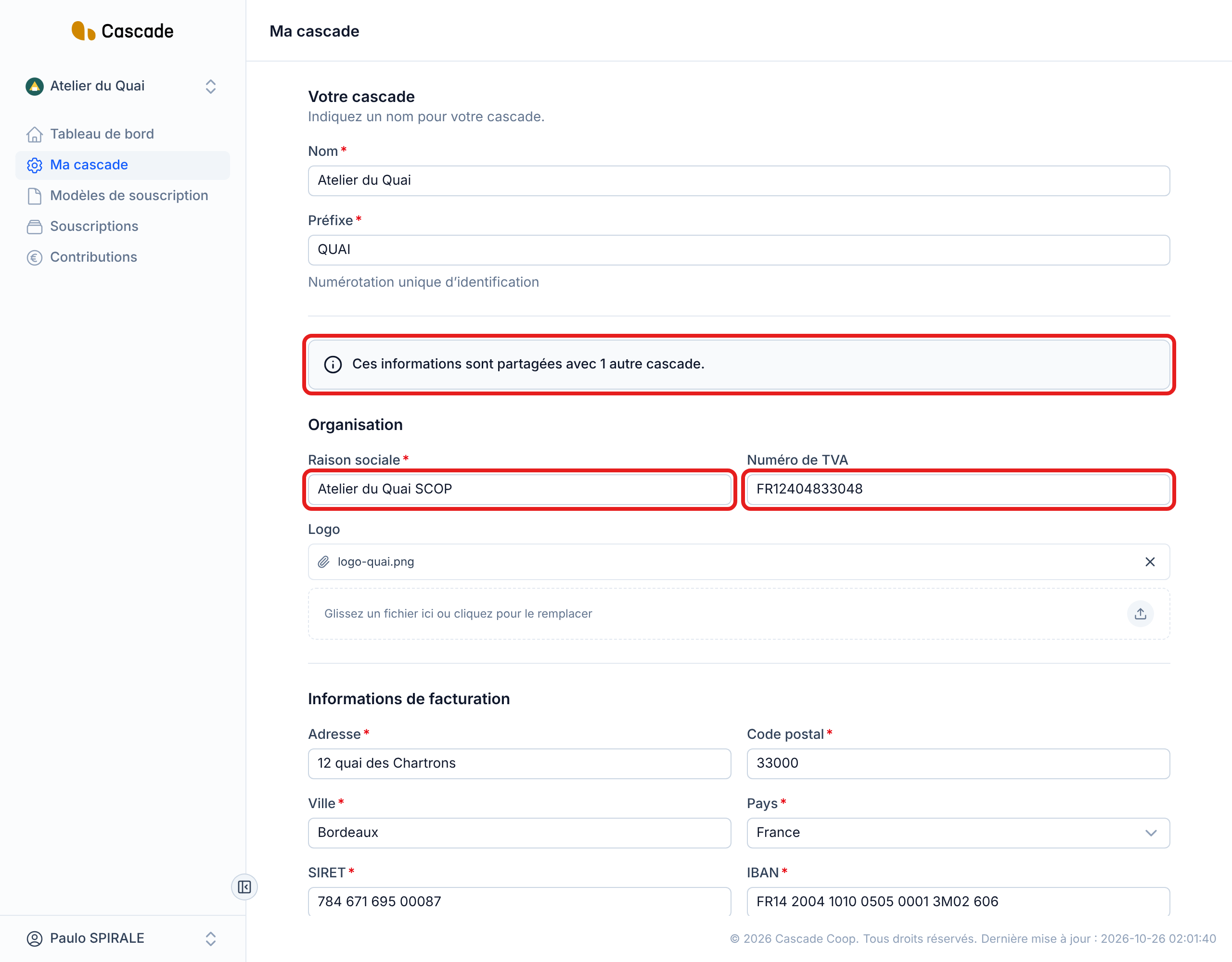
In the Organisation (Organization) section:
- Raison sociale (Company name) (required);
- Numéro de TVA (VAT number) (optional).
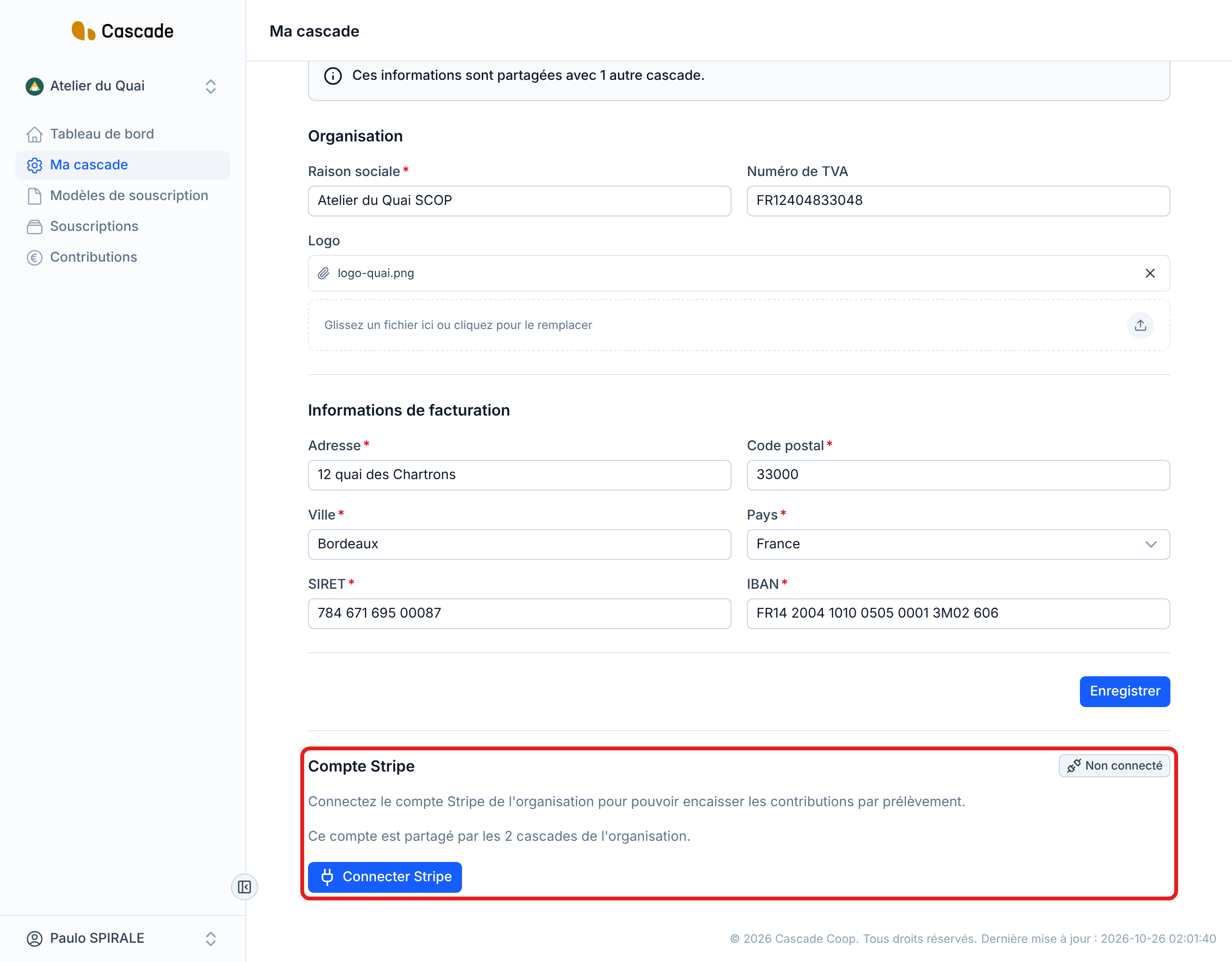
If your organization has several Cascades, a box warns you: Ces informations sont partagées avec 1 autre cascade. (This information is shared with 1 other Cascade.) (the number adapts). Everything below this box, down to the save button, applies to all the organization's Cascades.
4. Change the logo if needed
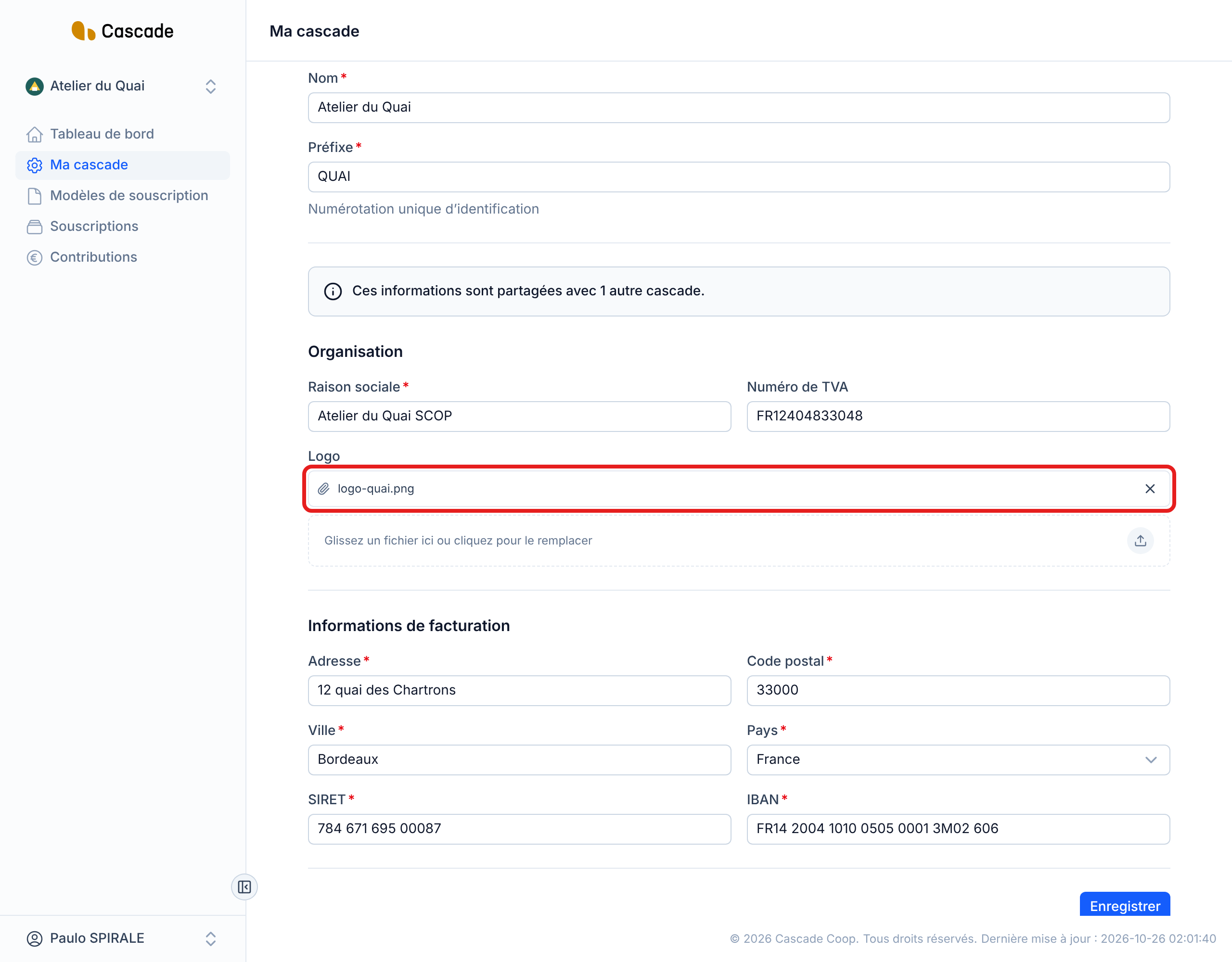
In Logo, the current file is displayed with a cross to remove it. To replace it, drag an image onto the Glissez un fichier ici ou cliquez pour le remplacer (Drag a file here or click to replace it) area, or click it to choose a file. Only one image is kept.
The logo is displayed next to the Cascade's name at the top of the menu, as well as on invoices and contracts. To have none, remove it with the cross.
5. Fix the billing information
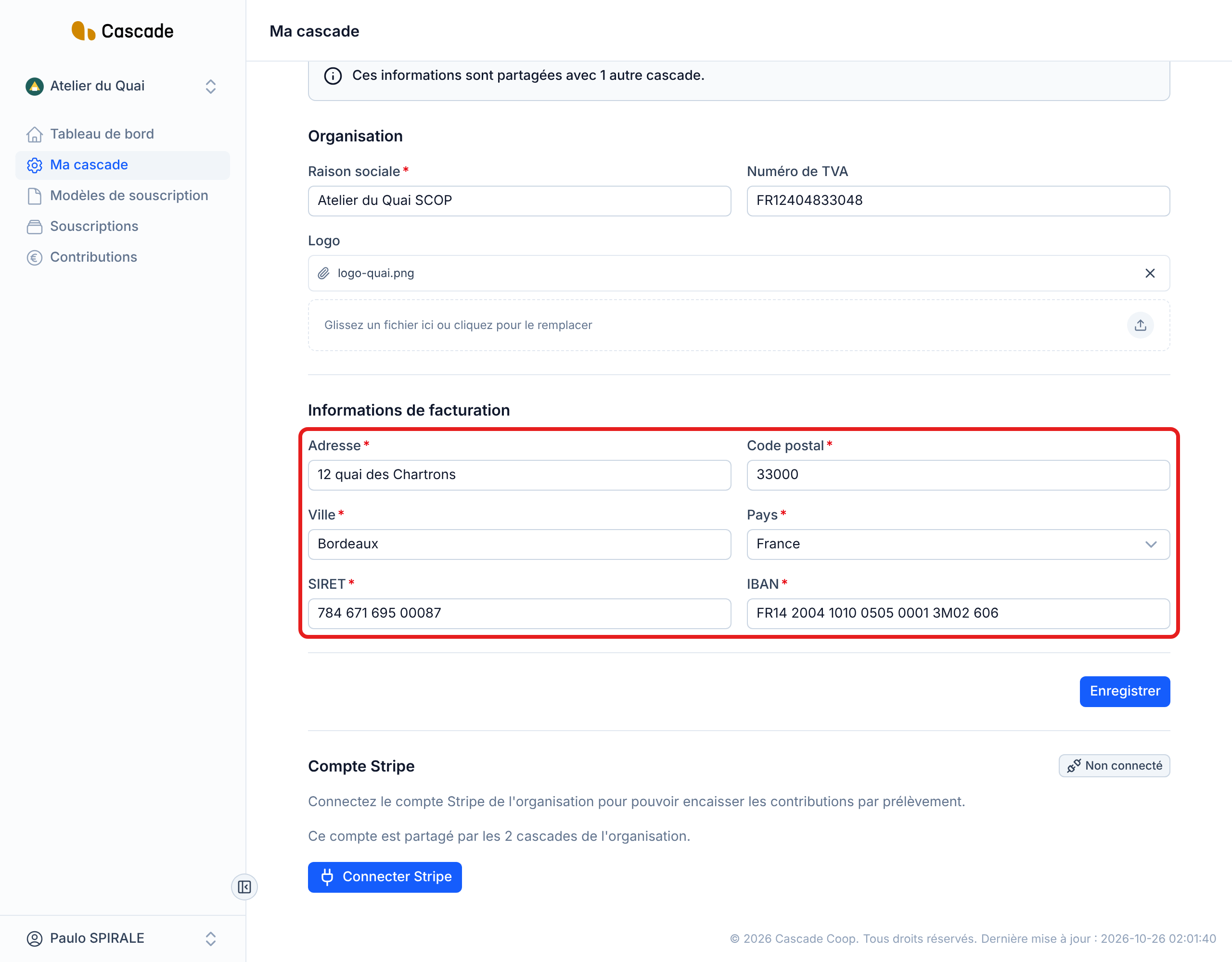
In the Informations de facturation (Billing information) section, all the fields are required:
- Adresse (Address), Code postal (Postal code), Ville (City);
- Pays (Country): France or Belgium. This choice changes the label and the validation of the next field;
- SIRET (14 digits) for France, N°BCE (10 digits) for Belgium. Spaces and dots are accepted;
- IBAN: its format and check digits are verified, spaces are accepted.
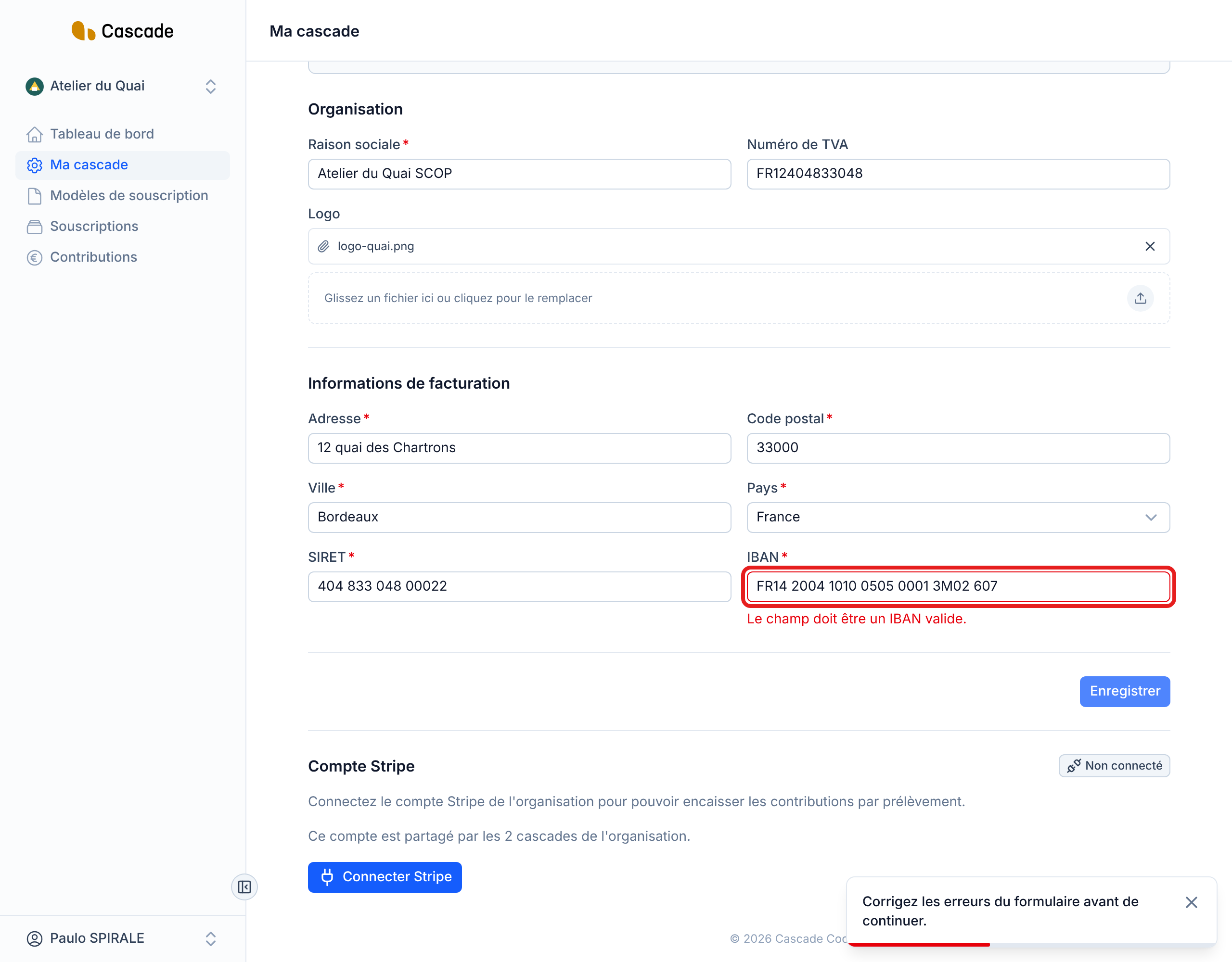
If a value is refused, a message is displayed under the field (for example Le champ doit être un IBAN valide. (The field must be a valid IBAN.)) and nothing is saved until everything is correct.
6. Save
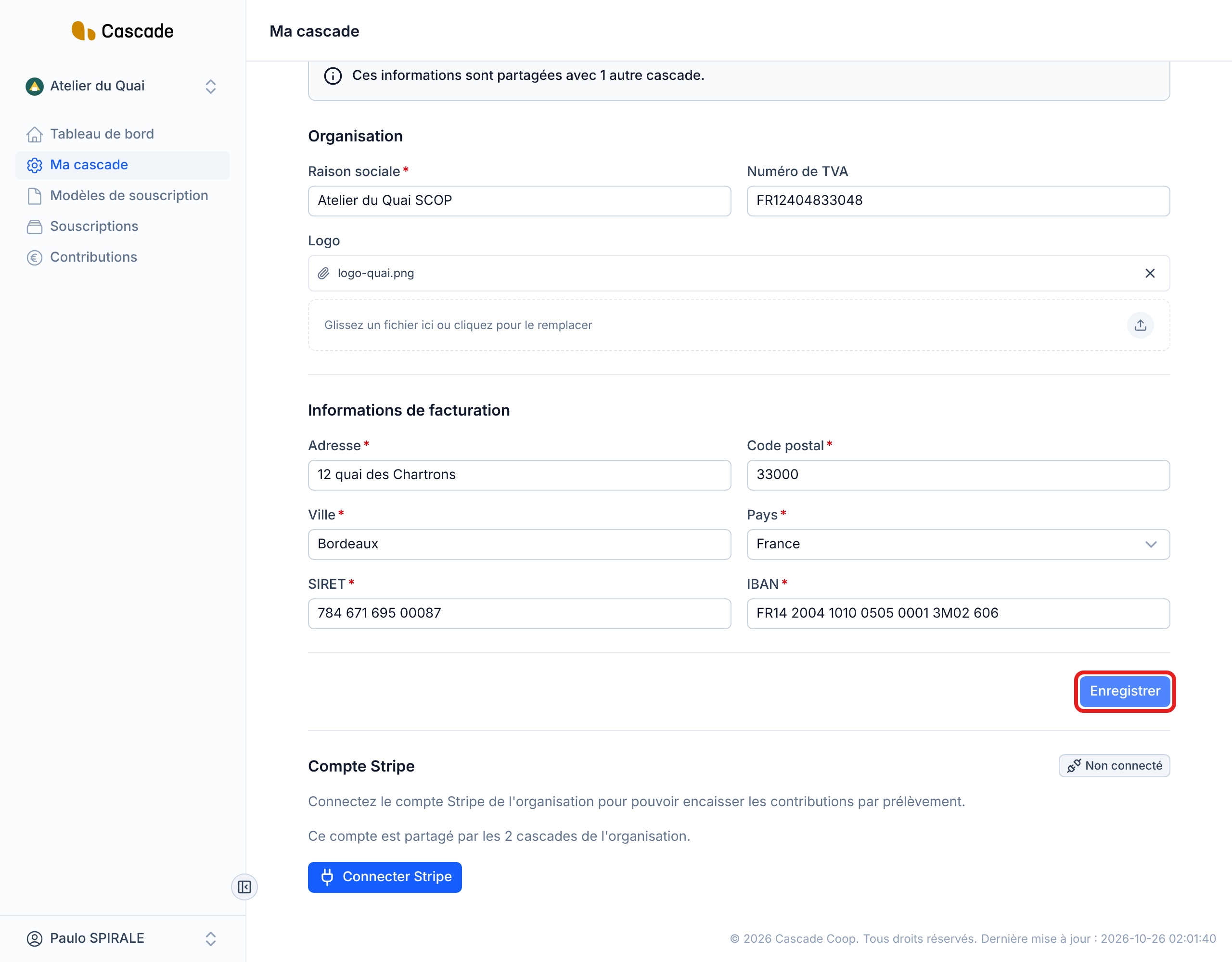
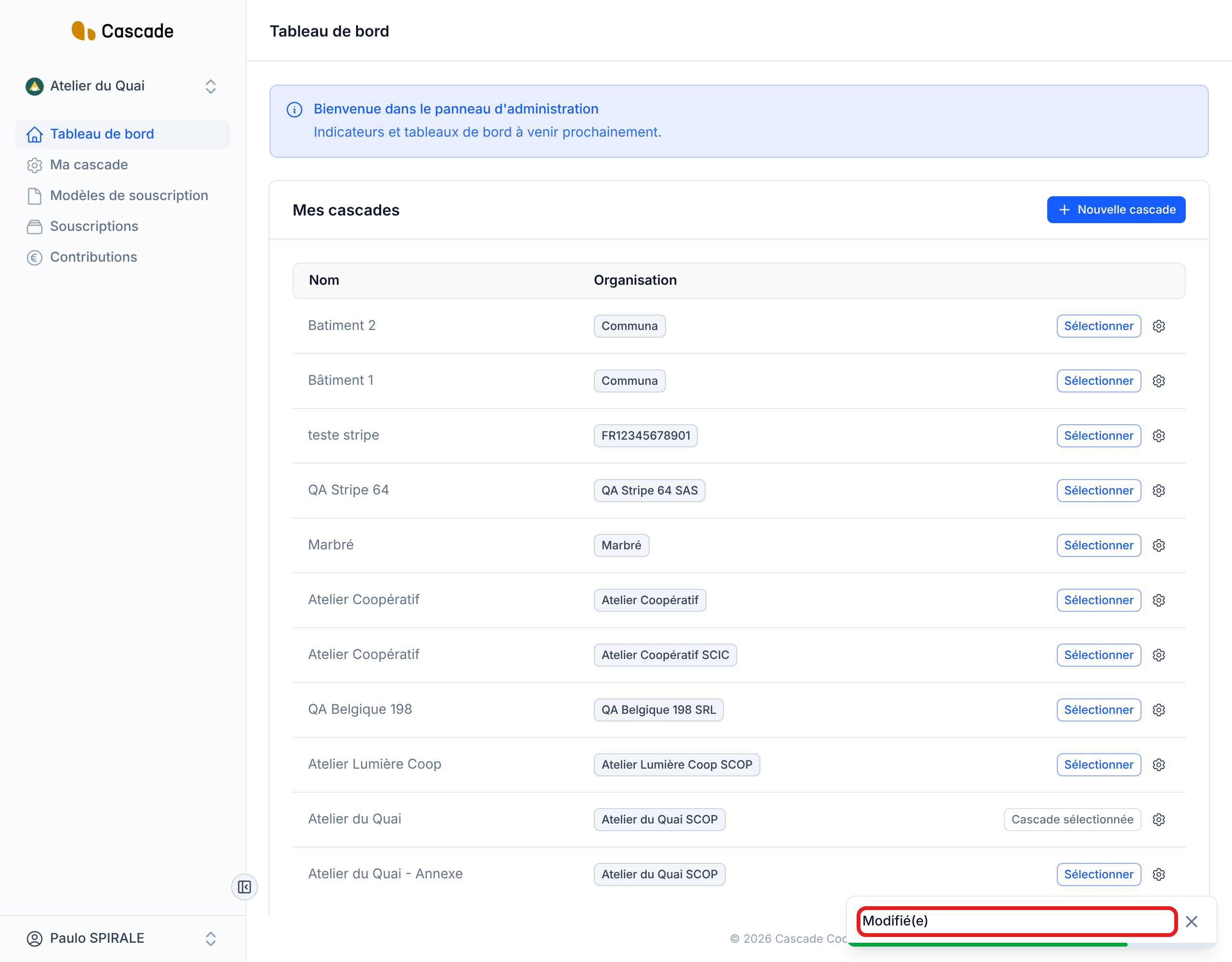
Click Enregistrer (Save), at the bottom of the form. You land on the Tableau de bord (Dashboard), where a Modifié(e) (Modified) notification confirms the save: you do not stay on the form.
What happens next?
- Immediate effect: the new values apply right away, for the Cascade (name, prefix) or for all the organization's Cascades (everything else).
- Invoices: an invoice that has already been issued keeps the original company name, address, SIRET (or N°BCE), VAT number and IBAN. Invoices created afterwards use the new values, including for an older contribution that had not been invoiced yet. See Invoice contributions (one or several at a time) and Invoice automatically.
- Numbers: changing the prefix renumbers nothing. Contracts and invoices that are already numbered keep their number; only the next ones take the new prefix.
- Stripe account: it is found below the form, in the Compte Stripe (Stripe account) block, with its status (for example Non connecté (Not connected)) and the Connecter Stripe (Connect Stripe) button. It is tied to the organization, so shared by all its Cascades. Stripe needs the country of the billing address: save the address before connecting it. See Connect the organization's Stripe account.
- No email is sent and nothing is triggered automatically.
Good to know
- The name and the prefix are specific to the Cascade; the company name, VAT, logo, address, SIRET (or N°BCE), IBAN and Stripe account are those of the organization. Editing them here changes them in all its Cascades, for all its managers, without prior confirmation.
- The name and the prefix must be unique within the organization. Otherwise: « Le nom doit être unique pour cette organisation. » (The name must be unique for this organization.) or « Le préfixe doit être unique pour cette organisation. » (The prefix must be unique for this organization.). Two different organizations can have the same name or the same prefix.
- The SIRET (or N°BCE) is saved without spaces or dots, the IBAN without spaces and in capitals: the screen redisplays them grouped for readability.
- The VAT number is optional and is not checked when saving.
- From this screen, you can neither delete a Cascade nor link it to another organization. The country choice only offers France and Belgium for now.
- Here, the SIRET (or N°BCE), the IBAN and the address are required and verified; the administration panel is less strict.
Frequently asked questions
Yes: the IBAN belongs to the organization, which its Cascades share. The « Ces informations sont partagées avec… » (This information is shared with…) box reminds you of this. Only the name and the prefix are specific to each Cascade.
Select it (see Change the current Cascade), then click Ma cascade (My Cascade). On the Dashboard, the cog on its row opens its settings directly.
No. Only the contracts and invoices created after the change use the new prefix.
Look at the red messages under the fields: SIRET or N°BCE with the wrong number of digits (14 in France, 10 in Belgium), invalid IBAN, empty required field, name or prefix already taken in the organization.