Invoice automatically
When the model has an invoicing lead time, Cascade issues and sends each contribution's invoice by itself, on the morning of its invoicing day. You find it in the list of contributions, with the status Facturée (Invoiced).
Before you start
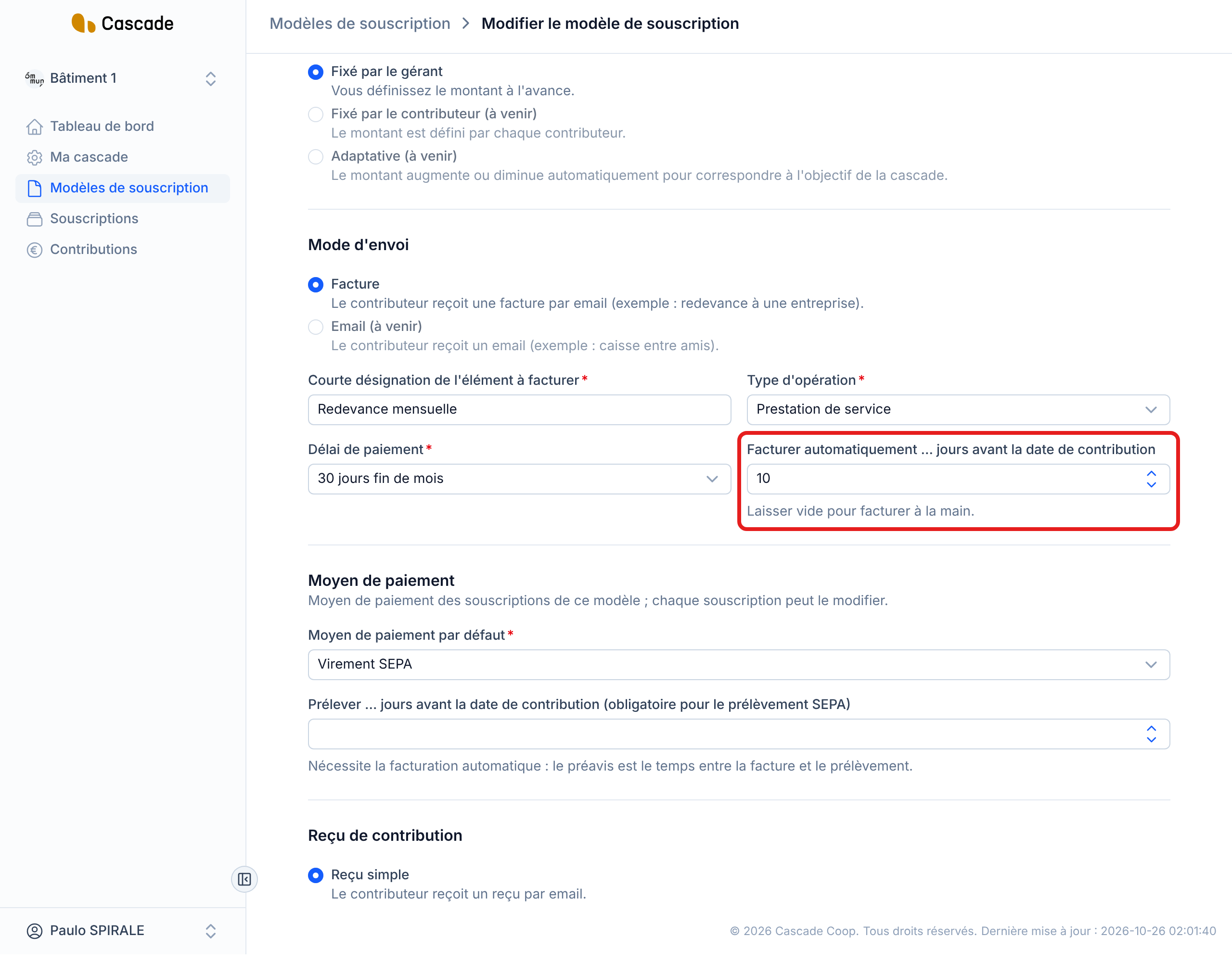
- The subscription model must have the Facture (Invoice) sending method and a number of days in Facturer automatiquement … jours avant la date de contribution (Invoice automatically … days before the contribution date). The setting itself is explained in Set up automatic invoicing; this article describes what happens next.
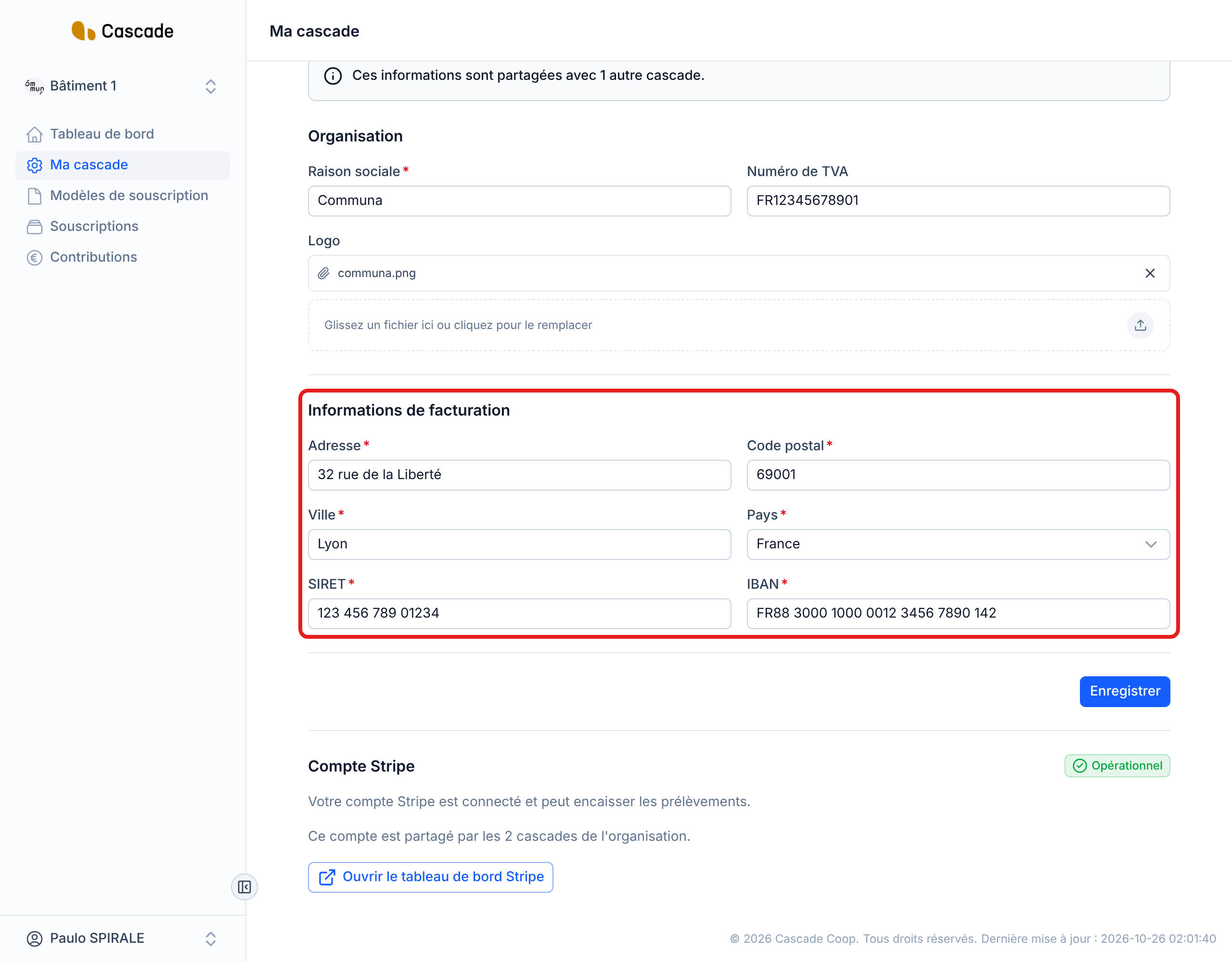
- Your organization's billing information must be complete (address, SIRET, IBAN). See Edit the Cascade settings (legal identity, IBAN, VAT, address, logo, prefix).
- The contributor must have a billing address and a contact email address. See Create a subscription (invite a contributor).
Steps
1. Set the lead time on the model
Open the model in Modèles de souscription (Subscription models), Mode d'envoi (Sending method) section, and fill in Facturer automatiquement … jours avant la date de contribution. Each contribution is then invoiced that number of days before its date: with 10, a contribution of November 1 is invoiced on October 22. With 0, it is invoiced on the same day. The lead time ranges from 0 to 365 days; leave the field empty to invoice by hand (see Invoice contributions (one or several at a time)).
2. Check your organization's billing information
In Ma cascade (My Cascade), the Informations de facturation (Billing information) section must contain the address, postal code, city, country, SIRET and IBAN. Without an address or without a SIRET, no invoice can go out.
3. Let Cascade invoice
There is nothing to click. On the morning of each contribution's invoicing day, Cascade issues the invoice and sends it by email to the contributor (times in What Cascade does every day).
4. Find the invoice in the list
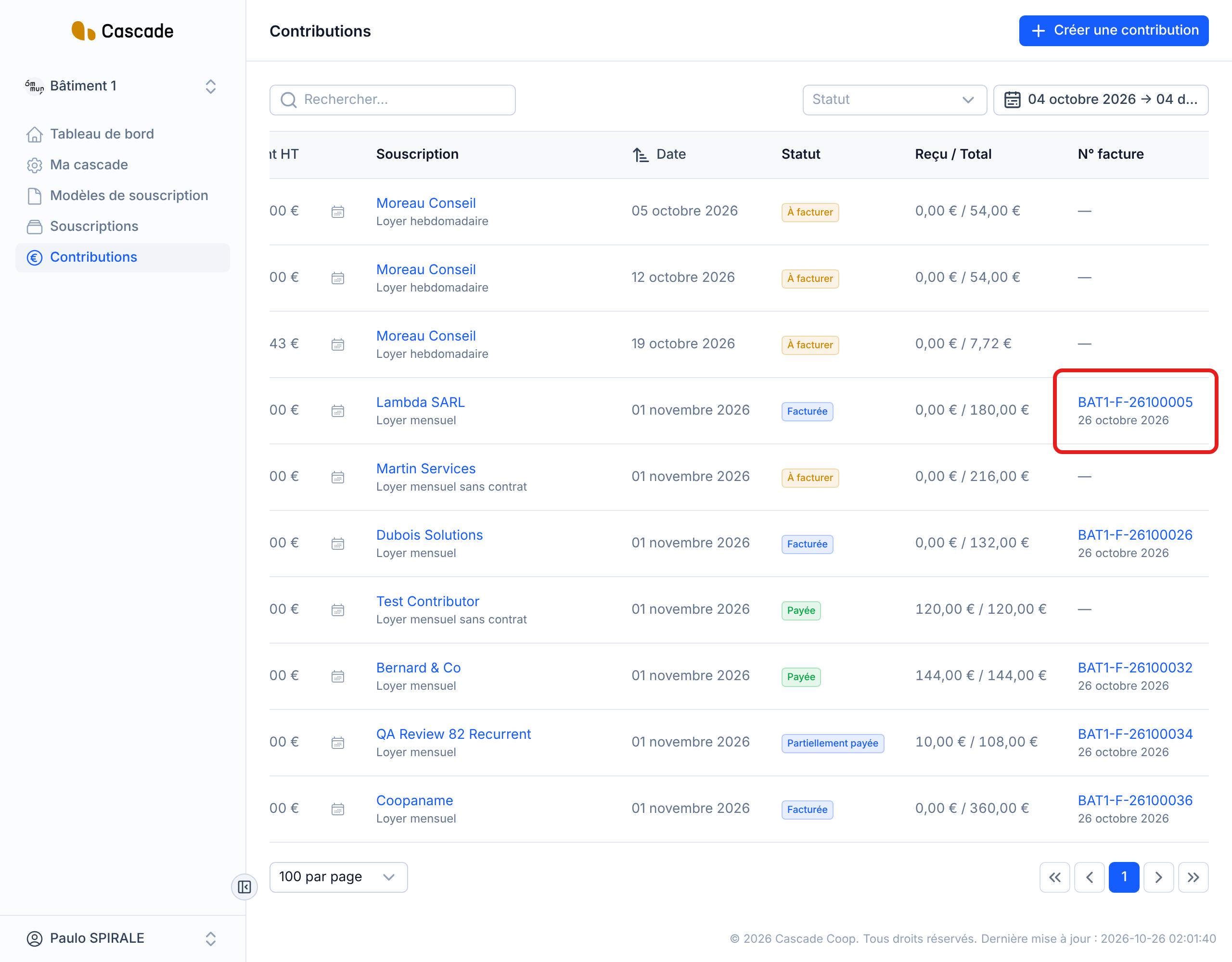
In Contributions, the contribution goes from À facturer (To invoice) to Facturée (Invoiced) and its number appears in the N° facture (Invoice no.) column, with the invoice date. Click the number to open the invoice.
What happens next?
- Status: the contribution becomes Facturée. It becomes Payée (Paid) when you record the payment: see Mark a contribution as paid.
- Invoice: it is dated the day Cascade creates it. Its number is made up of your Cascade's prefix, F, the year and month (YYMM), then a 4-digit counter, which restarts at 1 every month, per Cascade (for example BAT1-F-26100005). Its due date follows the model's Délai de paiement (Payment terms): immediate, 30 days end of month or 60 days end of month.
- Email: the contributor receives the invoice as an attachment, at the contact email address of their subscription. See Email the invoice to the contributor.
- SEPA direct debit: the invoice serves as the notice. If the planned direct debit date falls less than 2 days after the invoice, it is pushed back to 2 days after. See Choose the default payment method and the direct debit lead time.
Good to know
- The invoicing day is the contribution date minus the model's number of days. If it has already passed (subscription signed late, contribution created by hand), the invoice goes out the next morning.
- The lead time is read from the model on each run: if you change it, it also applies to contributions already created that are not yet invoiced.
- If you enable automatic invoicing on a model that already has À facturer (To invoice) contributions whose invoicing day has passed, all of them are invoiced and sent on the next run, even the oldest ones.
- Credit notes are never invoiced automatically: invoice them from the list (see Invoice contributions (one or several at a time)).
- A contribution already paid before being invoiced is invoiced anyway.
- A contribution is not invoiced if your organization's billing address or SIRET, the contributor's billing address or the model's operation type is missing. It stays À facturer, without any message: it will go out on the first run after the fix.
- An issued invoice is never modified. There is no button to launch the run by hand.
Frequently asked questions
Check that it is not a credit note, that the model has a number of days in Facturer automatiquement …, and that the billing addresses, the SIRET and the operation type are filled in. Once fixed, it will go out on the next run, or right away if you invoice it from the list.
Change the number of days in the model, or invoice the contribution by hand from the list.
Check in the list that the contribution is Facturée, then the contact email address of their subscription.