Set up automatic invoicing
Specify on the subscription model how many days before each contribution's date Cascade issues and sends the invoice, so you no longer have to do it by hand.
Before you start
- You need a subscription model with the Facture (Invoice) sending method: it is the only method available for now. See Create a subscription model.
- For invoices to go out, your organization's billing address and SIRET must be filled in. See Edit the Cascade settings (legal identity, IBAN, VAT, address, logo, prefix).
Steps
1. Open the subscription model
In the menu, go to Modèles de souscription (Subscription models). Click Créer un modèle (Create a model) for a new model, or the row of an existing model to edit it (see Edit a subscription model). The setting is in the first step of the form, Configuration générale (General configuration).
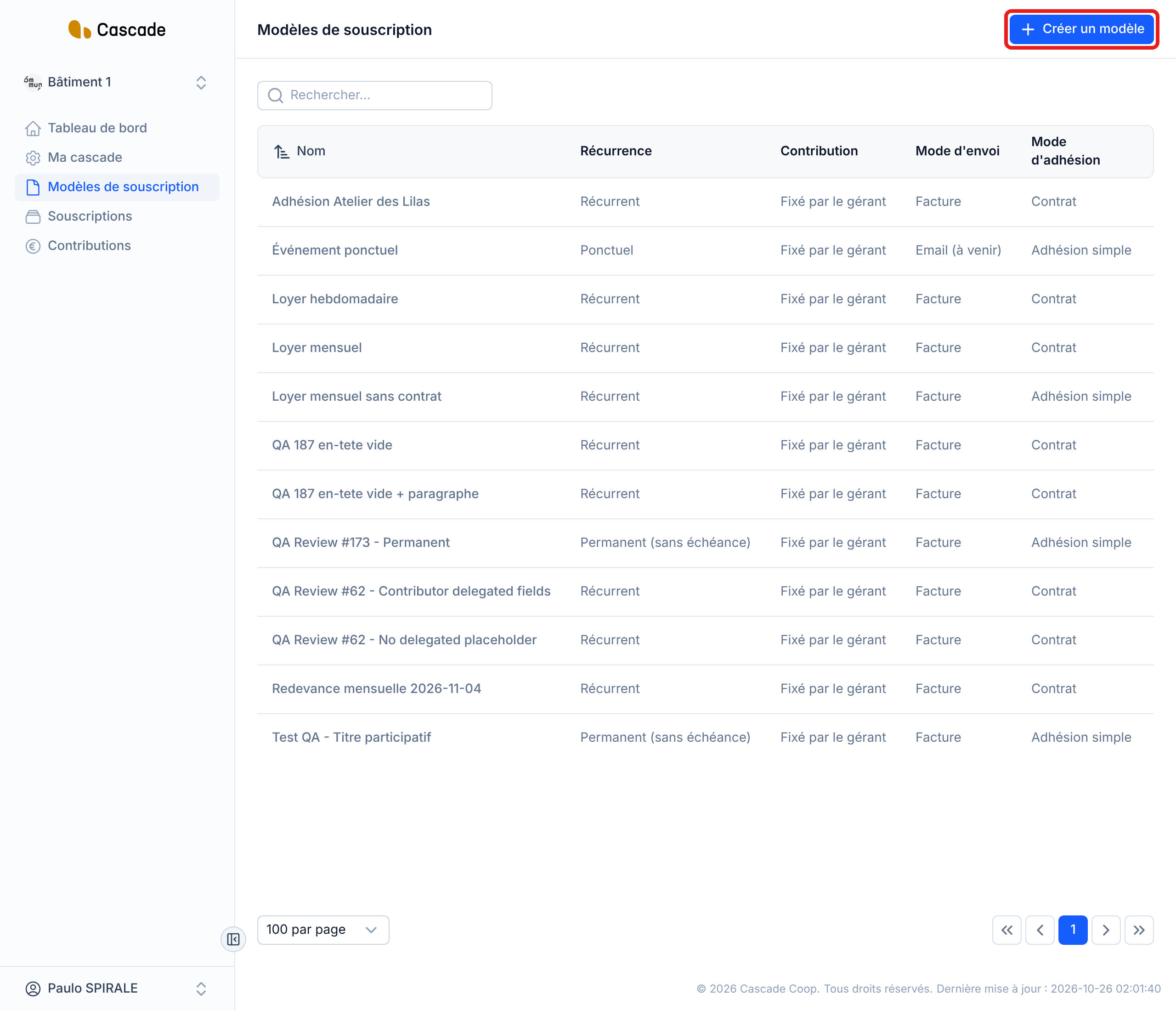
2. Choose the Facture sending method
In the Mode d'envoi (Sending method) section, leave Facture checked (Email (à venir) (Email (coming soon)) is not available yet). Then fill in the invoice settings:
- Courte désignation de l'élément à facturer (Short description of the item to invoice): the text that will appear on each invoice.
- Type d'opération (Operation type): Prestation de service (Service) or Vente de marchandise (Sale of goods).
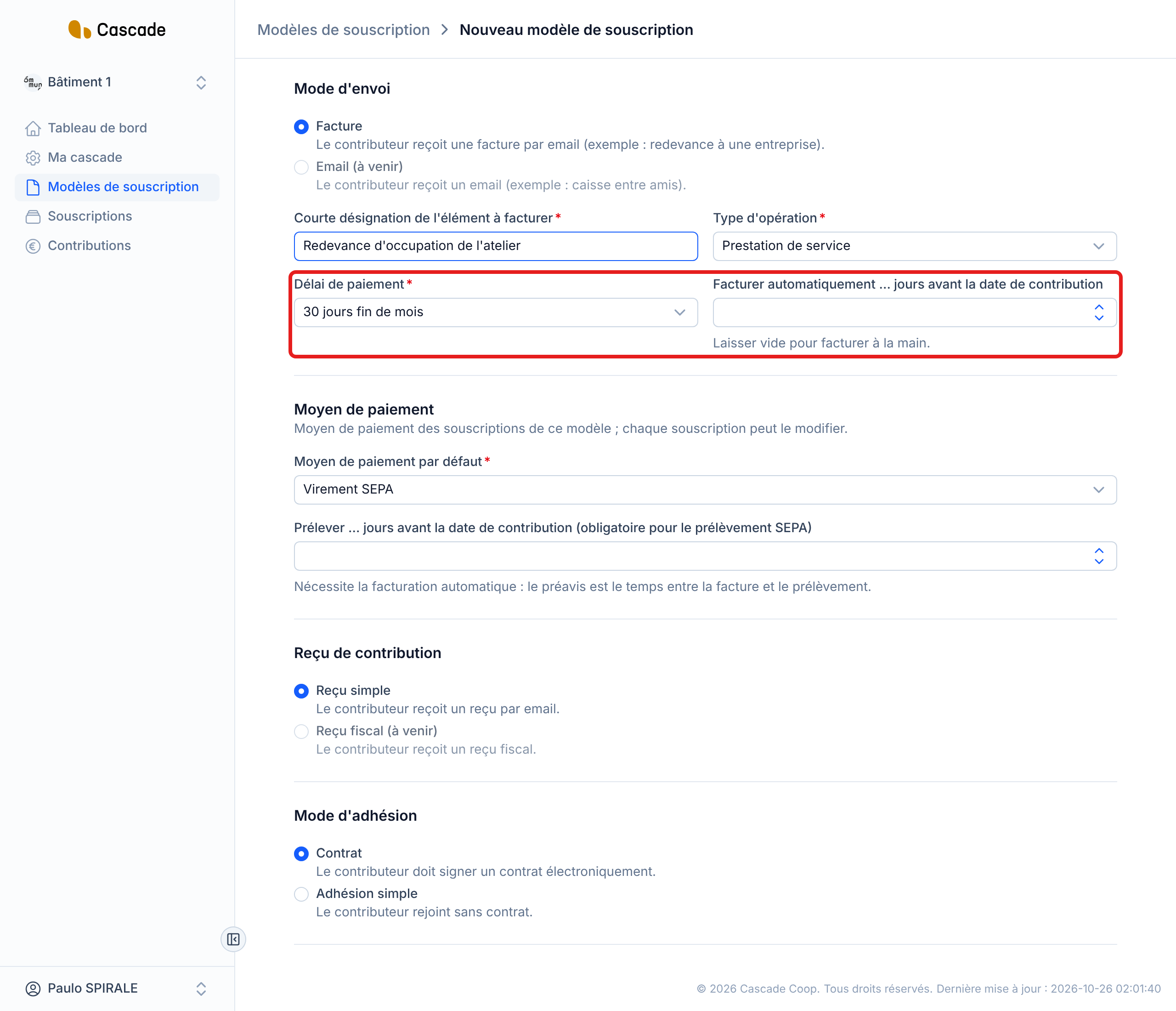
- Délai de paiement (Payment terms): Immédiatement (Immediately), 30 jours fin de mois (30 days end of month) or 60 jours fin de mois (60 days end of month). This is the due date of each invoice, counted from its issue date.
3. Specify how many days before the contribution to invoice
In the Facturer automatiquement … jours avant la date de contribution (Invoice automatically … days before the contribution date) field, enter a number of days between 0 and 365. With 10 days, for example, the March 1 contribution is invoiced on February 19. With 0, it is invoiced on the same day.
If you leave the field empty, nothing is invoiced automatically: you invoice yourself from the list of contributions (see Invoice contributions (one or several at a time)).
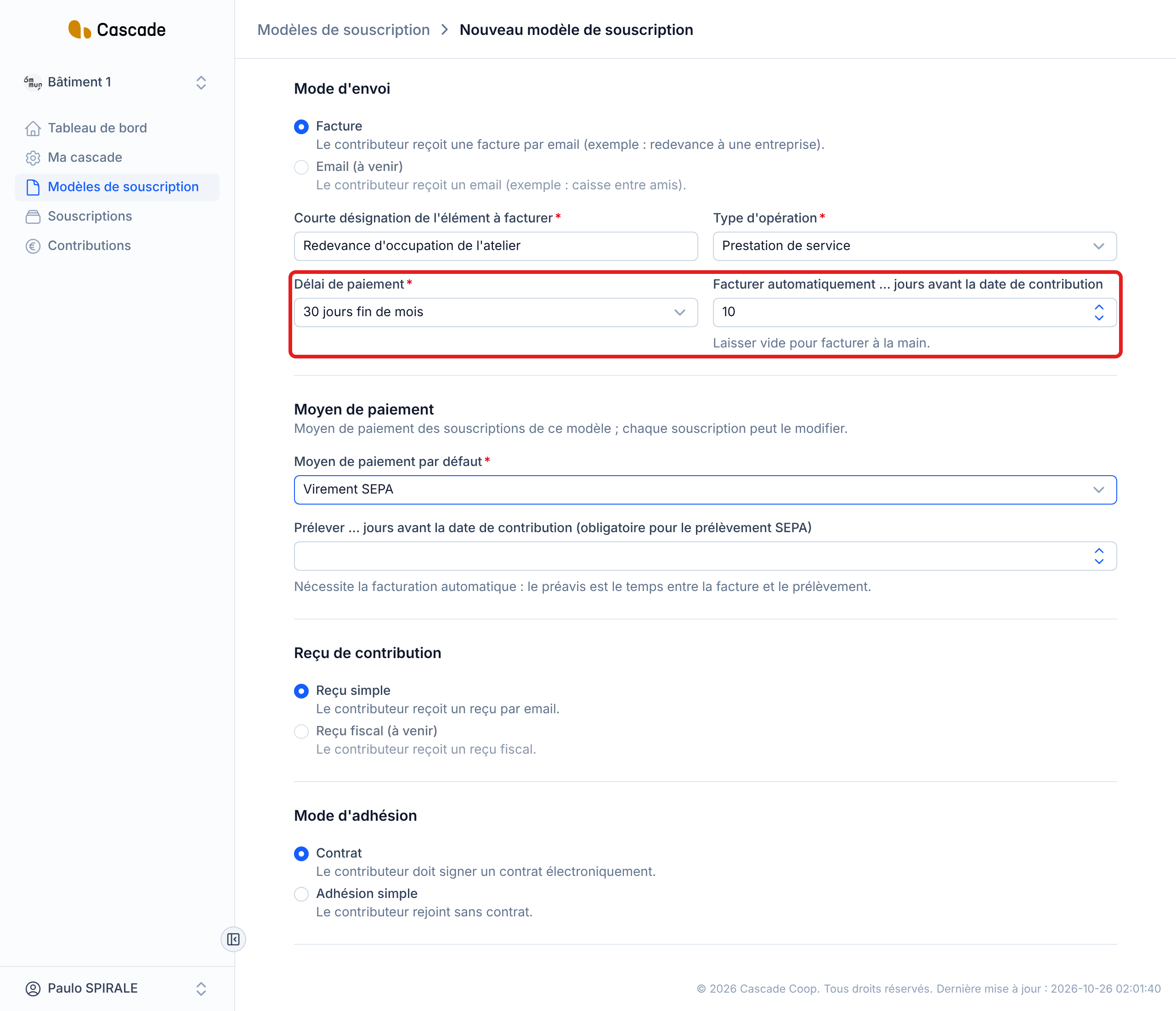
4. Prepare the SEPA direct debit (optional)
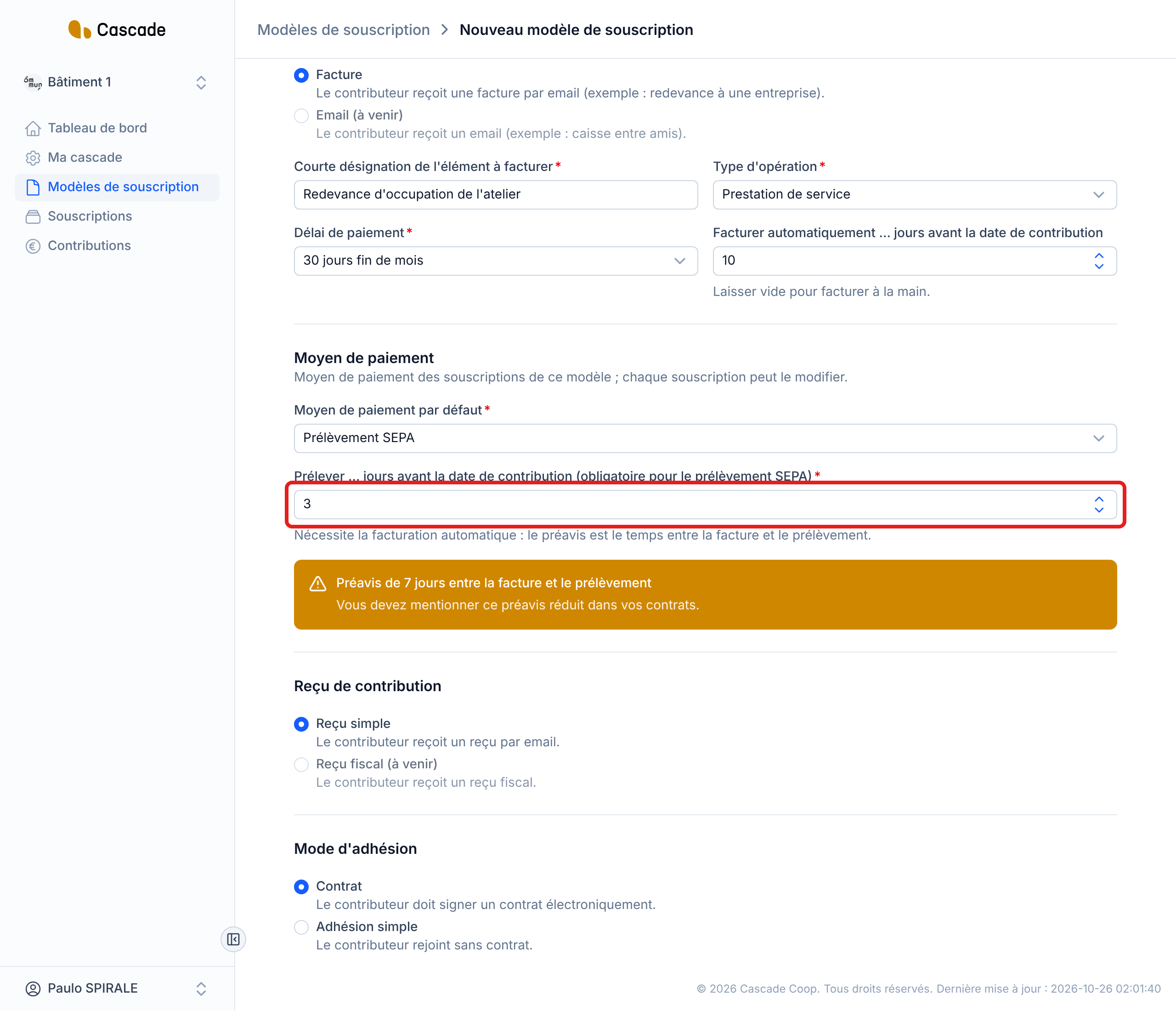
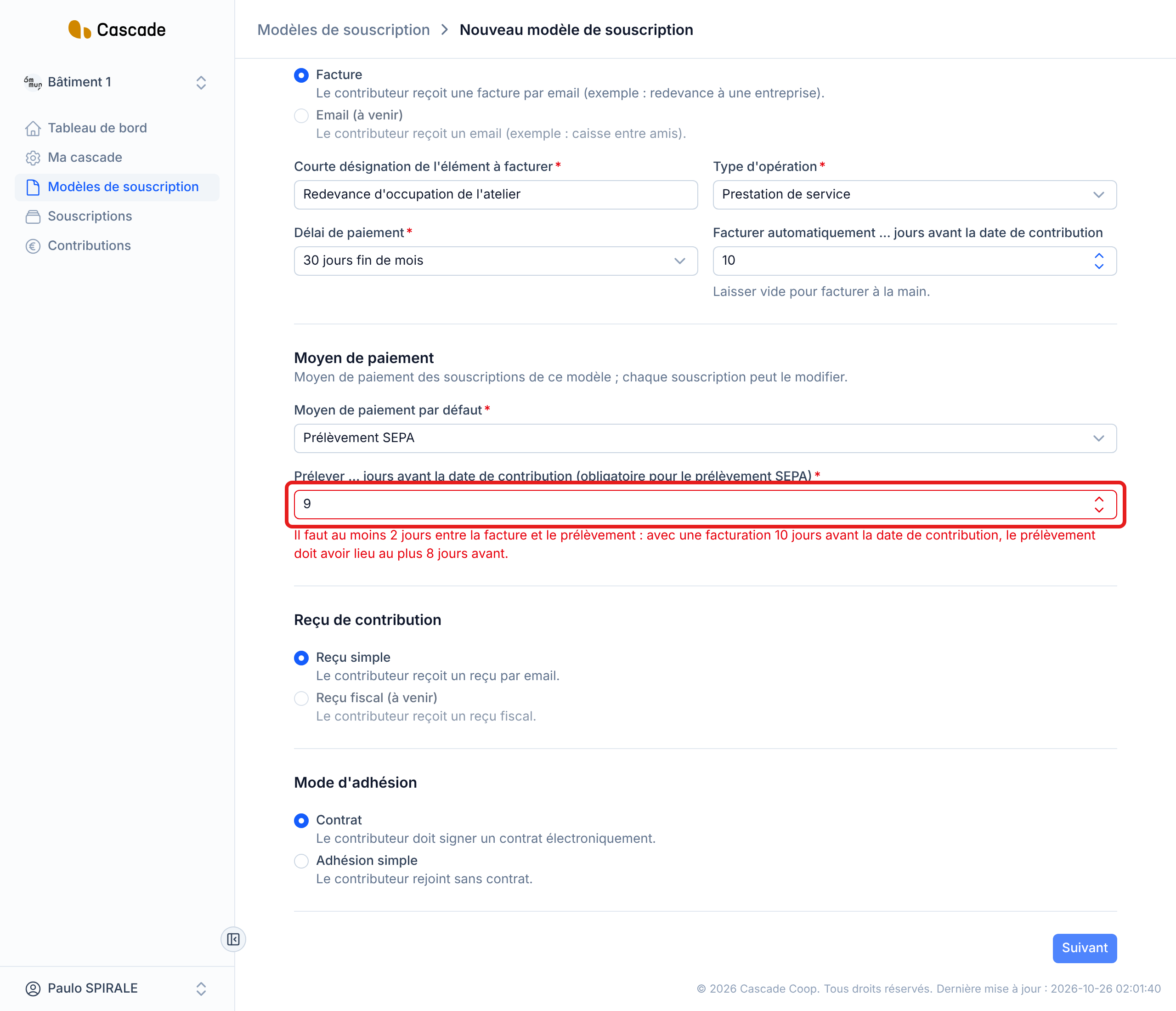
If the contributions of this model are to be debited, choose Prélèvement SEPA (SEPA direct debit) as the Moyen de paiement par défaut (Default payment method). The Prélever … jours avant la date de contribution (Debit … days before the contribution date) field then becomes required. It is only used with automatic invoicing: the invoice serves as the notice, and there must be at least 2 days between the invoice and the direct debit. With invoicing 10 days before the contribution, the direct debit can therefore take place at most 8 days before.
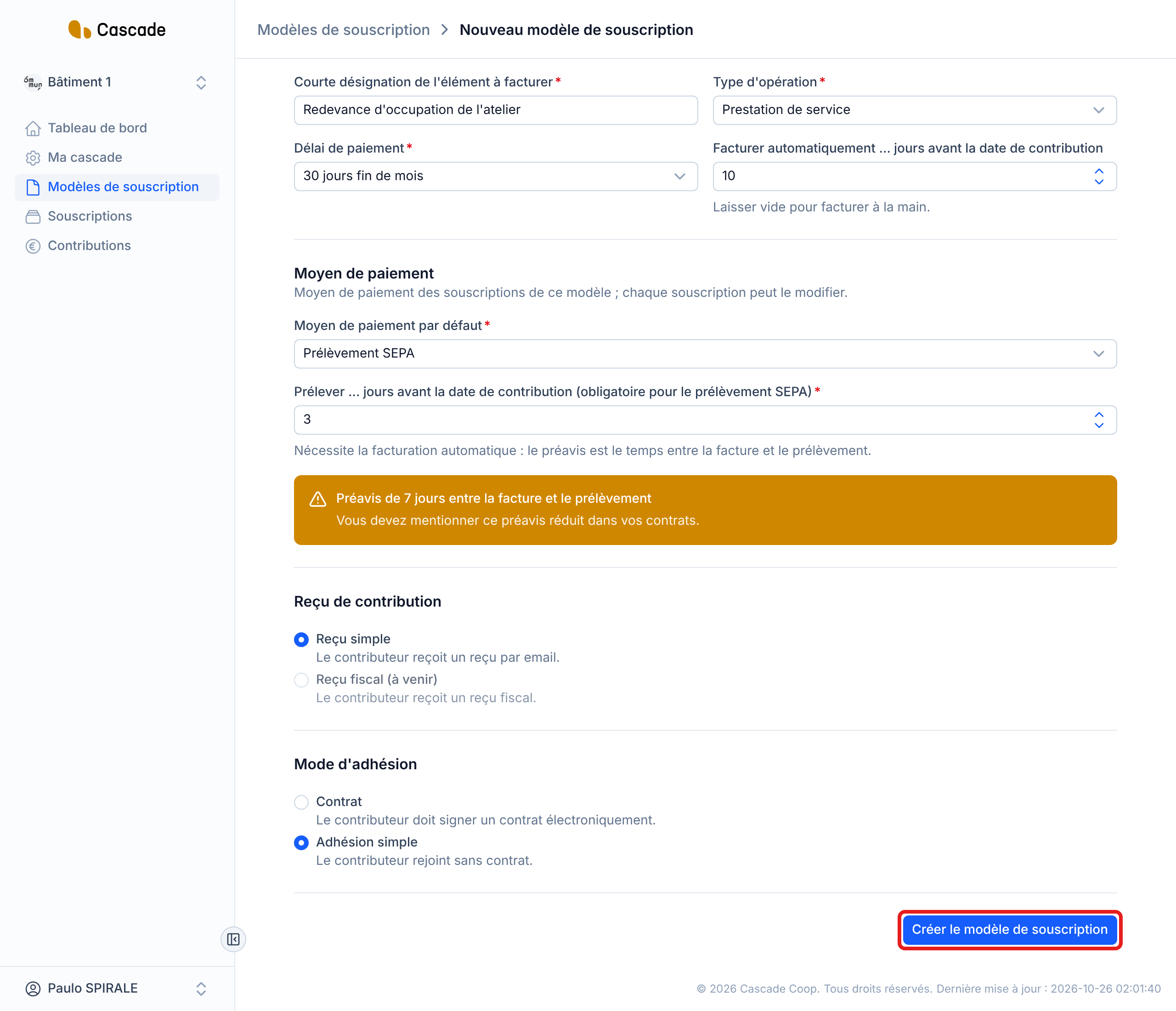
Between 2 and 13 days of notice, an orange box reminds you to mention this shortened notice period in your contracts. Below 2 days, saving is refused with a message indicating the maximum lead time possible. The details of this setting are in Choose the default payment method and the direct debit lead time.
5. Save the model
With simple membership, click Créer le modèle de souscription (Create the subscription model) (Enregistrer les modifications (Save changes) for an existing model). With membership with a contract, click Suivant (Next) up to the last step: the save button is there. If a rule is not met, a message appears under the field concerned and you stay on the form.
What happens next?
- Every morning, Cascade invoices, with no action on your part, the model's contributions that are positive, do not yet have an invoice and whose invoicing day (their date minus the model's number of days) has arrived or passed. The times and all the rules of the run are in What Cascade does every day; the full walkthrough, from the manager's point of view, is in Invoice automatically.
- The invoice is dated the day of the run, its due date follows the model's Délai de paiement, and it goes out immediately by email to the contributor (see Email the invoice to the contributor). The contribution becomes Facturée (Invoiced).
- If the invoicing day has already passed (subscription signed late, missed run), the contribution is invoiced on the next run.
- For a contribution on Prélèvement SEPA, the direct debit date is pushed back to 2 days after the invoice if it fell earlier. For now, no direct debit is executed yet: only its date is prepared.
- Credit notes are never invoiced automatically: you invoice them from the list.
Good to know
- The setting applies to all the model's contributions, including those already created and not yet invoiced: if their invoicing day has already passed, they are invoiced on the next run, and their contributor receives the invoice by email. A contribution already invoiced is never invoiced again.
- If the billing addresses, your organization's SIRET or the operation type are missing, the contribution is not invoiced and you are not notified: it will be invoiced on the first run after the fix.
- As long as the model has a Délai de prélèvement (Direct debit lead time), you cannot empty the automatic invoicing field. Likewise, as long as a subscription of the model is on SEPA direct debit, the direct debit lead time cannot be emptied: you must first change the payment method of these subscriptions.
- Changing the invoicing lead time changes the invoicing day of contributions not yet invoiced; an invoice already issued is never modified.
- There is no button to trigger automatic invoicing by hand: to invoice right away, invoice from the list of contributions.
Frequently asked questions
Nothing is invoiced automatically. Contributions stay À facturer (To invoice) until you invoice them yourself from the list.
Check that it is not a credit note, that the model has a number of days filled in, and that the billing addresses, the SIRET and the operation type are completed. Once fixed, it goes out on the next run.
No: direct debit relies on the invoice, which serves as the notice. First fill in the automatic invoicing lead time.